Using Atlas
Settings
The pages of Settings one by one: what you find there and where each thing is set.
Settings opens from Start, from the button at the bottom of quick settings, or with Super then "Settings".
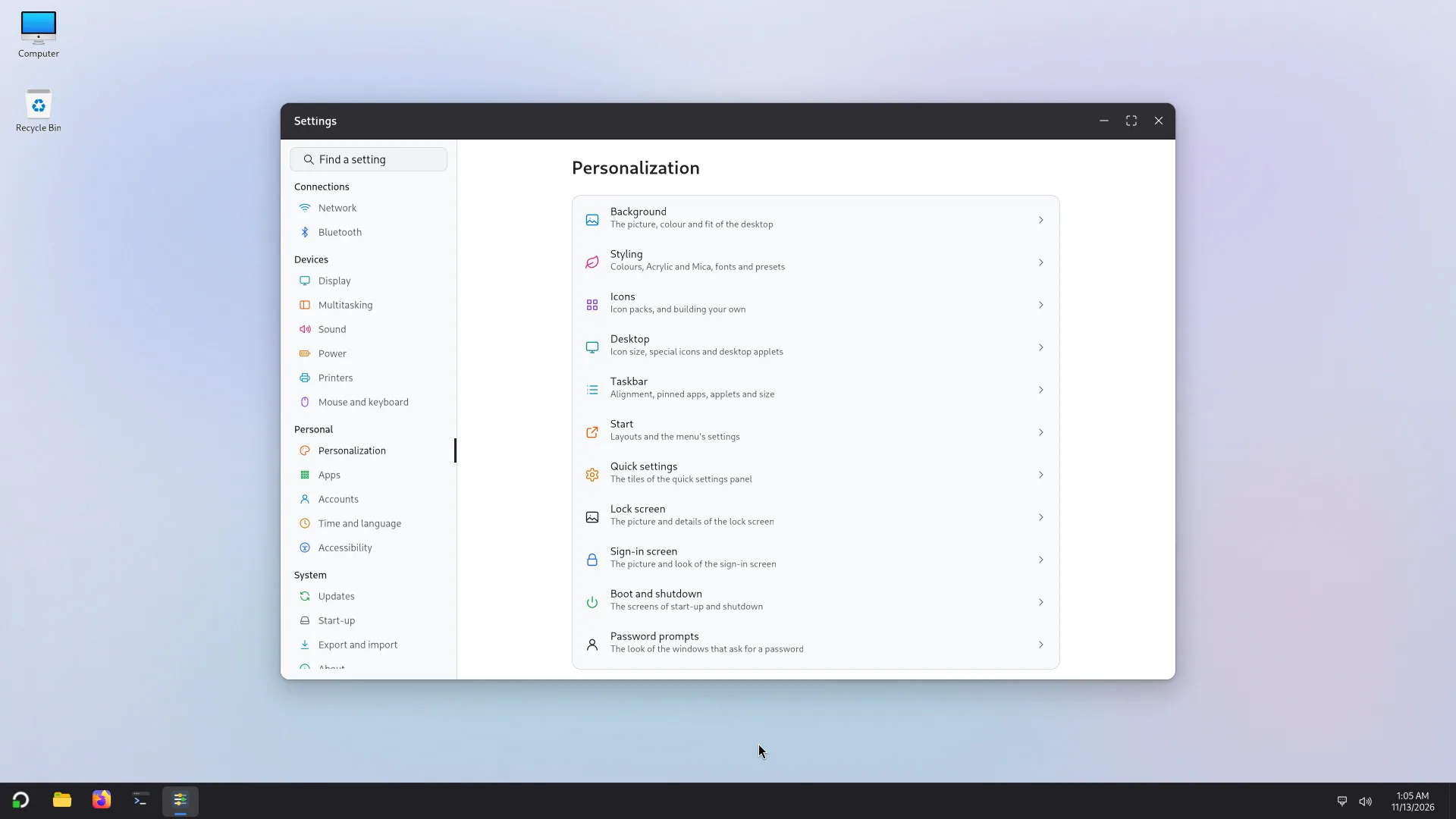
On the left, the list of pages, under four headings. At the top, a search field (Ctrl+F) finds a page or a setting from a word; Alt+← goes back. A setting that only an administrator can change stays visible, but greyed out, for the other accounts.
Connections
- Network: Wi-Fi, wired, airplane mode and the proxy. See Network and devices.
- Bluetooth: pairing and forgetting devices.
Devices
- Display: the resolution, the scale, the orientation, the refresh rate, the brightness, several displays, and the Graphics mode (Automatic, Best looks or Least memory).
- Graphics: the graphics cards (built into the processor, separate, virtual), each one's driver, whether the card draws the screen (acceleration), the video formats it decodes, and the screens.
- Multitasking: window snapping, layouts, the space between windows. See Windows.
- Sound: the output device and its volume, the input device, the volume of each app.
- Power: the power mode (Best power efficiency, Balanced, Best performance), when the screen turns off and when the PC sleeps (on battery and plugged in), the energy saver, what the lid and the power button do, the battery's state.
- Printers: adding, choosing a default and removing printers, seeing the queue.
- Mouse and keyboard: the mouse (primary button, speed, scrolling direction and speed), the touchpad (tap to click, ignore while typing...), the keyboard (repeat delay and rate) and the Keyboard layouts: add some, put them in order; Super+Space switches between them.
Personal
- Personalization: how Atlas looks, in eleven pages: Background, Styling, Icons, Desktop, Taskbar, Start, Quick settings, Lock screen, Sign-in screen, Boot and shutdown, and Password prompts (where several accounts are allowed).
- Apps: the Default apps (web browser, email, music, videos, photos, PDF, text, files) and the Startup apps of your session.
- Accounts: your picture and password, Add an account, the account type (administrator or standard), Sign in automatically, the Sign-in options (when to ask for the password again) and Several accounts at once. An administrator can also Reset the password of another account. See Several accounts.
- Time and language: Set the time automatically, the time zone, 24-hour time, and Your language (it applies the next time you sign in).
- Accessibility: see Accessibility.
System
- Updates: looking for and installing updates. See Software and updates.
- Start-up: the systems on this PC (Atlas, Windows...), which one starts by default, the start-up chooser (show or hide, rename, countdown), Restart to... another system, Put Atlas first and Repair. For administrators (the others see the settings and cannot change them). See First start.
- Export and import: saving your settings in a file, and taking them from a file, here or on another computer. Passwords, Wi-Fi, Bluetooth, accounts and screen layouts are never saved. An administrator can make the settings those of every account (Import for every account...).
- About: This computer: its name (only an administrator changes it), the model, the processor, the memory, the graphics, the storage, the desktop build, the kernel, and the drives with their free space. The Copy button puts this information on the clipboard: attach it to a report.