Atlas testing build
A familiar desktop, calm and clean.
Atlas is a free operating system by ARW Labs, built on Debian. A Start menu, a taskbar and a file manager that feel familiar, in French, Arabic and English. Try it from a USB stick, then install it if you like it.

What makes Atlas different
Several accounts, one screen.
Make sub-accounts for work, for a test, for an app you don't trust, for each AI agent. Open any app as any of them from Start: its window sits beside yours, marked with the account's name. Each one has its own files and can't read yours.
It is the part of Atlas that few other desktop systems have, and the one we are proudest of.
See how it worksEach account is sealed off from the others.
What we hold to
01
Familiar first.
If you know Windows, you already know your way around Atlas.
02
Light by design.
Made for modest and older computers, so they stay useful.
03
In your language.
French, Arabic (right to left) and English from the start; Amazigh is next.
04
Private by default.
No telemetry, no tracking, no online account needed. Nothing leaves your computer unless you send it.
05
Free software.
Nothing to buy. Our own source code will be published.
What is Atlas?
Atlas is a Debian 13 system with a desktop of its own, built to feel like Windows: Start, a taskbar with quick settings, Explorer, Settings, Software, Terminal, Photos, Task Manager, an on-screen keyboard, and the sign-in and lock screens. It runs on a light Wayland compositor, and Firefox is the browser.
We made it easy to pick up, and light enough to aim at modest computers. It is for homes, for work and for associations: for everyone.
A whole desktop, app by app
Start, the taskbar, Explorer, Settings and more: each one made for Atlas.
- ExplorerThe file manager: your files, your drives and the Recycle Bin.
- SettingsWhere the computer is set up, one page per subject.
- SoftwareThe app store: apps from Debian and from Flathub.
- TerminalThe terminal, with tabs.
- PhotosThe picture viewer, with the folder as a strip below.
- Task ManagerWhat runs on the computer and how much it uses.
- On-screen keyboardA touch keyboard that floats over your apps.
- Atlas SetupThe installer, and the Try Atlas front door, from the USB stick.
What matters in Atlas
A familiar desktop
Start, a taskbar, Explorer and quick settings arranged the way Windows users expect. Less to learn, less to explain.
Windows that snap
Drag a window to an edge or a corner, or use the same keys as Windows. Snap Assist offers the other windows for the free space. You set it all in Settings > Multitasking.
Several accounts on one PC
Everyone in the family or the office has their own account, and you can switch user without closing what the others have open.
Try it, then install it
Atlas Setup runs from the USB stick: try Atlas without changing the computer, or install it on the whole disk or next to Windows, with the disk encrypted if you wish. At start-up, a chooser lets you pick Atlas or Windows.
Your drives, opened for you
A USB stick opens with a notification. Windows drives, even locked by BitLocker (with your key), open in Explorer.
Private by default
No telemetry and no tracking. Nothing is sent unless you send it.
French, Arabic, English
Atlas speaks French, Arabic (laid out right to left) and English. Amazigh will come later.
Made for modest computers
Atlas is built on Debian with a light desktop, and aims at computers with 2 GB of memory. Real-PC tests are still to come: we will publish what we measure.
Icon packs you build yourself, a start-up chooser you design, every colour: Atlas is made to be changed. See what you can customize
Try it, then install it
Start from the USB stick and Atlas Setup opens. Choose Try Atlas to look around without changing anything, or Install Atlas: the whole disk, or next to Windows (Setup makes room by shrinking Windows). Updates then come through Settings > Updates: Debian's security updates and Atlas's own.
The testing build is public, and not finished. Atlas 0.1 itself is planned for early 2027.
Atlas Setup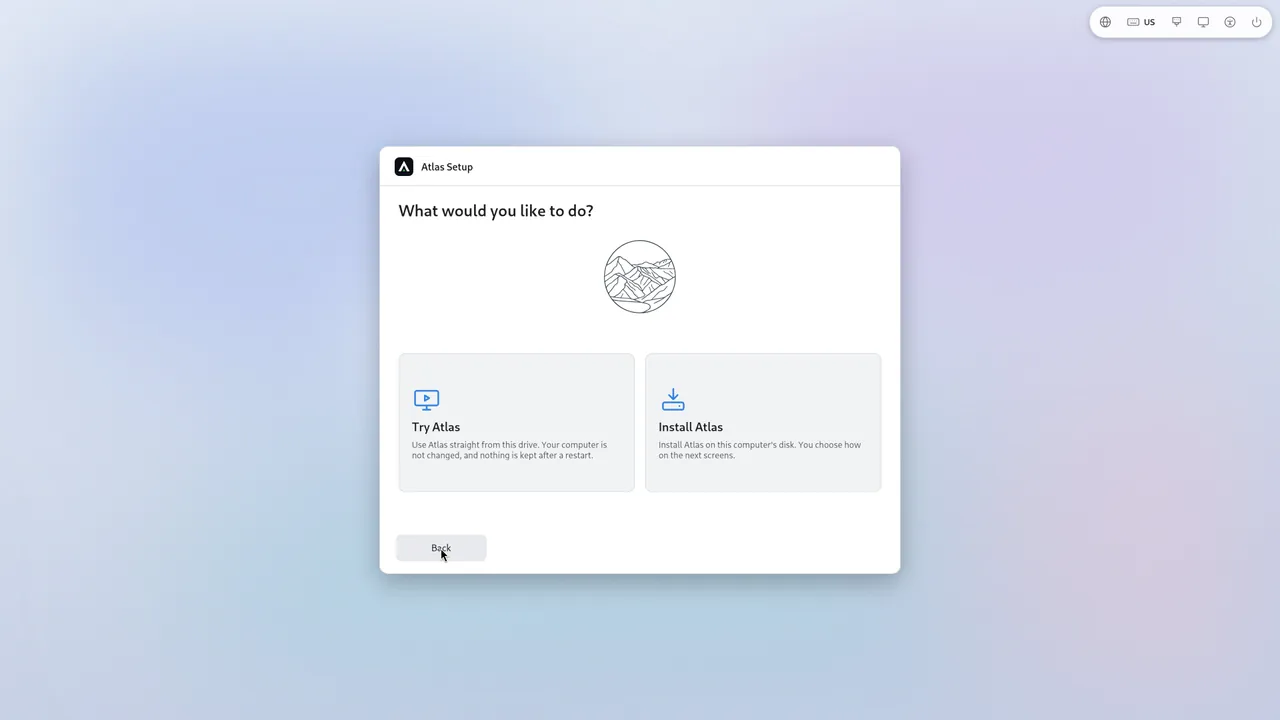
See it
All screenshots


Try the testing build.
The testing image is public. Try it in a virtual machine or on a spare computer, and tell us what you find.